
Essential Tips to Manage booking and flights with Delta Air Lines!
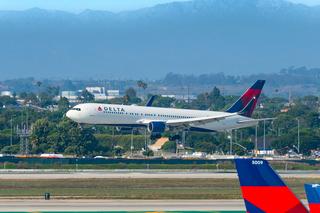
Traveling with Delta Airlines is a memorable and enjoyable experience. But you need to know exactly how you can handle Delta Airlines Manage Booking, and what benefits you can get by using this option or tool. Then your trip can be exciting. Steps to take are discussed on how to manage your trip with Delta Air Lines online.
Understanding Delta Airlines:
Delta Airlines is committed to providing exceptional service to their customers. Customer satisfaction is their main priority. Now, it is considered as the major carriers in the United States. With a fleet of modern aircraft, this USA-based Airline offers a wide range of flights, both domestic and international to different destinations globally.
Benefits come with managing Your Delta Airlines Booking Online option
If you are thinking of conducting Delta Airlines booking online, you will know that the Delta Air manage my booking option comes with many benefits, which are discussed below.
- You can cancel or change the travel plan at any time according to your own schedule.
- For extra comfort, you can change your seat
- The manage booking tool or option allows you can access various add-on services such as extra baggage allowance, in-flight meals, and more.
- This option gives you convenient access to your booking details anytime, anywhere.
Delta Booking — Step-by-step guide to using Delta Manage My Trip
· Open the official Delta Airlines website
· Click the My Trips option.
· Then you are asked to fill in your login information
· After you have to put the booking reference number and first and last name of the passenger.
· Next, you are asked to select the check-in/find my flight option if you want to retrieve all flight details.
· After receiving your flight information, you should select some of the options such as
Flight cancellation/change, add one more side meal, extra baggage, change flight name, date or time, add more passengers, registration, priority registration required, Seat upgrade or seat selection.
· You have to follow the instructions if you want to make the changes or confirm the changes.
· Then you have to go to the Payment option if required.
· If your change or modification will be confirmed, you can receive a message
American Airlines Manage Booking Through Mobile
You can now American Airlines bookings through mobile as exclusive manage booking apps are available. You just need to download and install the app. Below is how you can cancel or modify your American flight through mobile.
- First, you need to download the American Airlines app.
- You can find the app for almost every platform such as Google Play Store for Android users and Apple App Store for iOS users
- After downloading and installing the app, you have to go to either the login option or the signup option to make a new account.
- Now you have to click on Plan Travel where you are directed to the Manage Booking section.
- Here, you are asked to enter all the details of your flight you want to modify or cancel.
- However, you should note that any changes to the flight are strictly subject to the relevant operating policy.
- After that, you will view the existing reservation. You are asked to select the modification process.
- If you have made your required changes, then you can proceed to the payments option to complete the process.
How does Delta Airlines' Manage Booking make your tour more enjoyable, convenient, and strain-loose?
· Offer the Easy Access to Booking Information
With Delta Airlines' manage my flight feature; you can easily access booking information with just a few clicks. There is no hard work involved in locating confirmation e-mails or tickets. With this option, you can easily take a second look at flight information, seat assignments, and more.
· Flight booking changes and Modifications
Life is unpredictable, so you may need to change or cancel a trip at any time, Delta airline's manage booking feature makes it much easier to change or cancel your booking. Apart from flight changes, it can also be the ideal option for you if you want to upgrade seats, adjust tour dates, or adjust tour dates. Also if you want to add an assistance service for a disabled passenger you can request it through this feature.
· Select your preferred Seat
You can customize the in-flight experience to select the right seat with the Manage Booking feature. This feature allows you to choose your seat according to your preference. Whether you decide on a window seat for the view or extra legroom, you can decide by looking at the options. You will also get the seat map beforehand to decide the options.
· Having the flexibility to add extra Services
Delta Airlines' manage my booking option helps you customize your travel with Delta's additional offerings. You can add extras like Wi-Fi gate entry, priority boarding or checked baggage allowances. This way you can be sure to align your needs with your trip.
· Download and print the Digital Boarding Pass easily
Printing a boarding pass is a hassle or a hassle. But with Delta Airline's Manage Booking option, you can get rid of this problem. This feature allows you to access a virtual boarding pass, and then download, save, or print it. It is an effective and environment-friendly method for the clean screening process at airports.
· Stay Informed about all information on Delta airlines
Delta Airlines' Manage Booking option gives you real-time updates on gate adjustments, flight delays, cancellations, and more. This time again through this feature you can prepare and adapt to unexpected situations like flight delays or cancellations.
Conclusion
You can call Delta Airlines manage booking an effective tool that contributes to managing the travel of tourists. The convenience of online reservation booking, the flexibility of booking change or cancellation, ability to customize the trip make your entire travel experience much easier exciting, and stress-free. Delta Airlines is committed to giving passengers pleasure and comfort. So they have made their Manage Booking feature very easy to access.


