Prefer to talk to a pro?
Call today, and let us connect you with the perfect merchant!
Call today, and let us connect you with the perfect merchant!
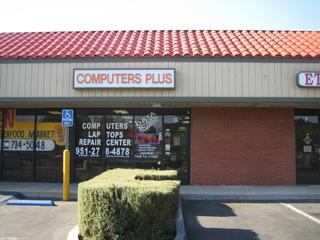
Top Electronic Stores in Corona, CA








Prefer to talk to a pro?
Call today, and let us connect you with the perfect merchant!
Call today, and let us connect you with the perfect merchant!
Where do you need Electronic Stores ?
Related articles

Types of Electronic Repair Tools

How to Connect a Computer to Your TV

About Electronics and Airline Safety
Updates & tips
Everything You Ever Need to Know About VEHICLE WRAPS!
What is a Vehicle Wrap? Vehicle Wraps are the latest trend in fully customizable, vinyl advertising that is completely or partially installed over the exterior of almost any vehicle turning it into a mobile billboard. Unlike painting a vehicle's surface however, large rolls of vinyl sheets can be used as decals with the same quality and appearance for a fraction of the cost! Wraps can be a profitable investment for almost any type of business and vehicle imaginable. Kubik Digital, in association with Monster Image has wrapped vehicles including but not limited to: Bikes&Motorcycles; Boats Buses Cars High-Performance Vehicles Limousines&Sedans; Off-road Vehicles RVs & Motor-Homes Shuttles Snow Plows Taxis Trailers Trucks Vans Pricing: Just like with any service, pricing can always fluctuate depending on several variables including design work, quality of materials used, and type of vehicle. The average price for a full vehicle wrap however (when spread out over a 3 year lifespan) costs a little more than a cup of coffee per day. Tips to Remember: Wrapping a vehicle is an entire process which cannot happen overnight. Allow time for you and your designer to create concepts and revisions which must then be printed and transformed onto a 3-dimensional object. Not all wraps are created the same! The best quality wraps are printed with high solvent printers with heavy color saturation, which is then laminated to prevent fading. The most important part of any wrap is a quality installation. Ask you designer what experience his or her installers have and what samples can they provide? A poor wrap can often leave lasting imperfections which will significantly lower the lifespan of your wrap and the professionalism of your business. Warranty is everything! Always get a written warranty statement in writing before signing any agreement. Most vehicle wraps should last at least 2-3 years with standard care and should come with at least a 6 month -1 Year warranty. Lastly, ask any your installer for a copy of the insurance policy to protect you in the unlikely event that your vehicle is damaged while in their possession. How to Care for Your Wrap: Before deciding to get a vehicle wrap, it is important to understand that it takes a commitment by you, the owner, to ensure that your vehicle looks as good on one year as the day it left the shop. We have broken down a few recommended steps to help keep your wrap in top shape. Every 1-3 Days - Use a car duster and run a quick sweep over your vehicle. We recommend the 'California Car Duster' or any microfiber cloth. Every 1-2 Weeks - Hand wash your vehicle with any environmentally safe car wash and a sponge. DO NOT use an automated car wash (type found at gas stations) or pressure washer. These can cause permanent damage to the vinyl. After every wash - Carefully dry your vehicle with soft cotton towels and apply furniture polish to provide a clear glossy finish. We recommend 'Clean Source Reflection Furniture Polish,' Part #350120 since it also contains a small percentage of carnuba wax for an extra glossy finish. For tar, bugs, and other debris, try using any bio-friendly orange oil and follow the recommended manufacturers directions. If you cannot simply wipe away the debris, apply more orange oil and let it sit and penetrate. * Always test any new chemical in an inconspicuous area or to a scrap piece of vinyl first to ensure that it will not damage your laminate. ARTICLE SOURCE: http://kubikdigital.com/successfull-tips-and-tricks/vehicle-wraps-101
How to properly back your computer files to prevent data loss
We have all heard of the horror stories from our friends, family and coworkers losing data on their computer due to hard drive crashes, stolen laptops, or viruses. Or maybe you were the one telling others about your nightmare. The only real way to protect your files is the back them up! The Facts About Data LossUp to 13% of hard drives fail every year (Carnegie Mellon University, 2007)50% of computer users have lost or accidentally deleted files from their primary computer (Chadwick Martin Bailey, 2010)Approximately 2 million laptops are stolen every year, and only 2% are ever recovered. (FBI, 2008) How to Properly Safeguard Your Data in 3 Steps Local - This is your first line of defense against data loss.Turn on System Restore on your Start Menu. System Restore is like a big "Undo" button for Windows. It lets you undo changes to your computer's operating system and programs without affecting personal files such as documents or photos. It's a great solution if a program you downloaded or installed doesn't work right, and you can't seem to uninstall it or get back to where you were before.http://windows.microsoft.com/en-US/windows7/products/features/backup-and-restorePerform a Backup Wizard on DVD or internal hard drive. This is a great tool provided with any computer which will help establish a first line of defense against data loss. Simply follow the steps and select the data you want to be backed up.http://www.microsoft.com/windows/windows-7/features/backup-and-restore.aspx Removable Storage - Better but not fool proof.Consider investing in a portable hard drive. With newer USB 3.0 models hitting the shelves, you can now get 512GB hard drives for about $50. Many name brand companies also bundle software with hard drives which include automated backup software. I always make it a point to archive my office computer files once per week and store the drive in my fireproof safe. In the event that my computer fails, I have quick access to my data and can continue working without any major interruption. This method does have some hiccups because it does not save my work in 'real-time' and if I ever forget to backup, I can often lose 1 or more weeks worth of work.http://reviews.cnet.com/best-external-storage-drives/?tag=contentMain;contentBody;pm Cloud - Incase all else fails.A cloud backup is another term for a web-based data storage which can be accessible via a remote network or through the internet. This type of storage method is an absolute must in the event of a catastrophic failure or disaster where all local computers and hardware suffer irreparrable damage.Kubik Digital uses and endorsesCarbonitefor all of our most important files. (Over 5TB worth of data!) We guarantee that all of our clients files will never be lost or damaged for any reason! Carbonite provides real-time automatic data backup via a secure connection which is accessible anywhere you have an internet connection.Click Here to get 1 Month Free with Carbonite