Prefer to talk to a pro?
Call today, and let us connect you with the perfect merchant!
Call today, and let us connect you with the perfect merchant!
About High Falls, NY
The Hamlet of High Falls is located in Ulster County, New York with a population of 627 people. Visitors will enjoy a restful stay at the lovely Whispering Pines bed and breakfast. Look for hidden treasures at High Fall's Sunday Flea Market. Hungry? Try the Egg's Nest Saloon offering an ecclectic menu and nice tap room selection.
Best Businesses in High Falls, NY






Prefer to talk to a pro?
Call today, and let us connect you with the perfect merchant!
Call today, and let us connect you with the perfect merchant!
Related articles
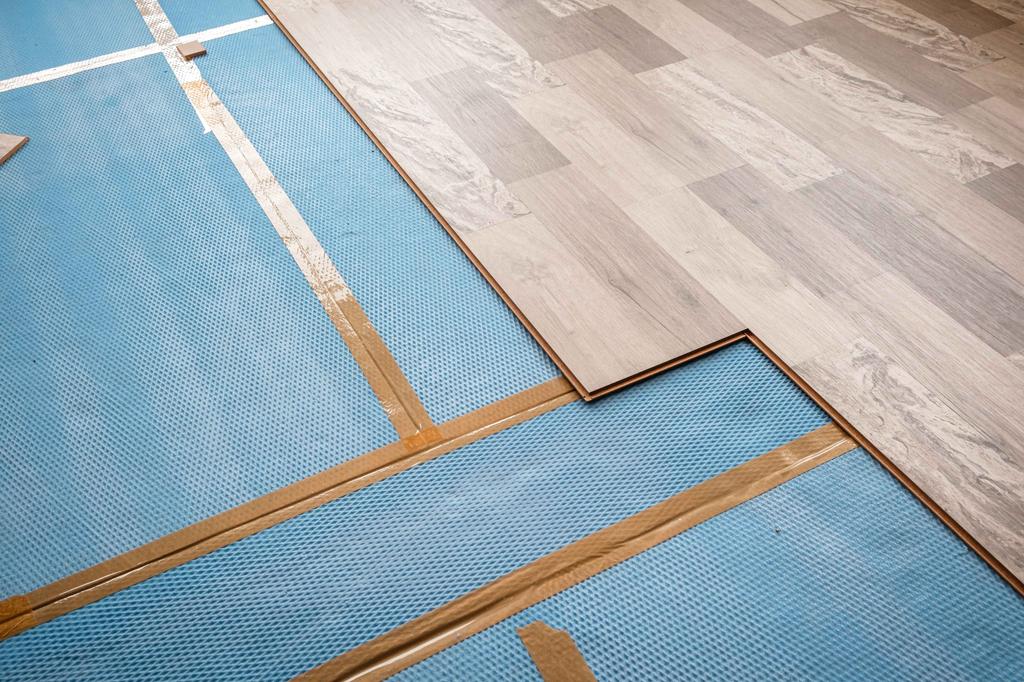
How to Fix Squeaky Floors: Easy DIY Solutions That Actually Work

Landscaping Gravel Types: Pros and Cons

How to Clean Hardwood Floors: Simple Steps for Long-Lasting Shine
Updates & tips
Understanding System Can Your PC Handle the Latest Games?
Introduction For avid gamers, the thrill of diving into the latestRummyreleases is unparalleled. However, to ensure a seamless gaming experience, it's crucial to understand whether your PC can handle the demands of these modern titles. In this guide, we'll explore the intricacies of system requirements, providing insights into essential components, checking specifications, and optimizing your setup for optimal gameplay. Basic Components for Gaming PCs Before delving into system requirements, it's essential to grasp the basics of a gaming PC's components. Your Central Processing Unit (CPU), Graphics Processing Unit (GPU), Random Access Memory (RAM), and storage collectively contribute to the overall gaming performance. Understanding the role each component plays sets the stage for assessing your system's capabilities. How to Check Your PC's Specifications Knowing your PC's specifications is the first step in evaluating its gaming prowess. We'll walk through a step-by-step guide on checking these specifications, highlighting tools and resources that make accessing this information straightforward and user-friendly. Minimum vs. Recommended Requirements When exploring game specifications, you'll encounter both minimum and recommended requirements. We'll decipher the difference between these two and discuss the implications for your gaming experience. Understanding these distinctions ensures you can make informed decisions when selecting and running games. Upgrading Your PC for Gaming For gamers seeking an enhanced experience, upgrading individual components is a viable option. This section provides tips on upgrading within budget constraints, allowing gamers to optimize their setups for better gaming performance. Common Pitfalls to Avoid Navigating the world of system requirements can be tricky, leading to common pitfalls. We'll discuss these pitfalls and offer practical tips to prevent unnecessary expenditures on upgrades that may not significantly impact your gaming experience. The Evolution of System Requirements Taking a historical perspective, we'll explore how system requirements have evolved alongside technological advancements. Understanding this evolution provides insights into the increasing demands of modern games. Game Settings and Adjustments Optimizing your gaming experience involves more than just meeting minimum requirements. We'll delve into how adjusting inRummysettings can impact system requirements, allowing you to strike the right balance between performance and visual quality. Upgrading Your PC for Gaming For gamers seeking an enhanced experience, upgrading individual components is a viable option. This section provides tips on upgrading within budget constraints, allowing gamers to optimize their setups for better gaming performance. Common Pitfalls to Avoid Navigating the world of system requirements can be tricky, leading to common pitfalls. We'll discuss these pitfalls and offer practical tips to prevent unnecessary expenditures on upgrades that may not significantly impact your gaming experience. The Evolution of System Requirements Taking a historical perspective, we'll explore how system requirements have evolved alongside technological advancements. Understanding this evolution provides insights into the increasing demands of modern games. Game Settings and Adjustments Optimizing your gaming experience involves more than just meeting minimum requirements. We'll delve into how adjusting in-game settings can impact system requirements, allowing you to strike the right balance between performance and visual quality. Future-Proofing Your Gaming PC To ensure your gaming rig remains compatible with upcoming titles, we'll discuss strategies for future-proofing your setup. These considerations are essential for gamers looking to invest in a system that can handle the demands of tomorrow's games. Compatibility Challenges with Older Games While exploring the latest releases, we must not forget about older classics. This section addresses compatibility challenges when running older games on modern hardware, providing solutions and workarounds for a seamless gaming experience. Community Forums and Support Engaging with online communities can be invaluable when seeking advice on system requirements. We'll explore the benefits of community forums and share insights from fellow gamers who have faced similar challenges. Laptops vs. Desktops: Considerations for Gamers Choosing between a gaming laptop and a desktop involves weighing various factors, including system requirements. This section outlines the pros and cons of each option, helping you make an informed decision based on your preferences and gaming needs. Optimizing System Performance Beyond meeting minimum requirements, optimizing your overall system performance enhances the gaming experience. We'll provide practical tips and software solutions for gamers looking to squeeze every bit of performance from their PCs. Real-Life Examples: Before and After Upgrades To illustrate the impact of upgrades, we'll showcase real-life examples of gaming experiences before and after enhancements. These scenarios offer tangible insights into the transformative effects of optimizing yourRummyrig. Conclusion In conclusion, understanding system requirements is a cornerstone of enjoying the latest games to their fullest. By grasping the basics, checking specifications, and making informed decisions on upgrades, you can ensure your gaming PC is ready for the challenges of modern gaming. FAQs: Can I play modern games on an older PC with lower specifications? While it's possible, you may experience performance issues and limitations. Upgrading components or adjusting game settings can help improve the experience. Are minimum system requirements always sufficient for smooth gameplay? Meeting minimum requirements allows the game to run, but for optimal performance and visual quality, aiming for recommended specifications is advisable. How often should I upgrade my gaming PC to keep up with new releases? The frequency of upgrades depends on personal preferences and budget constraints. Aim to upgrade components when you notice a significant lag in performance. Can a gaming laptop match the performance of a desktop with similar specifications? While gaming laptops have improved, desktops often offer better performance due to superior cooling and upgradability. Consider your priorities before choosing between the two. What software tools can help me optimize my PC for gaming? Tools like MSI Afterburner and Razer Cortex can help optimize gaming performance. Regular system maintenance, driver updates, and disabling unnecessary background processes also contribute to optimization.
Another Reason We Started VISITvortex
My daughter and I were doing some rounds the other day. We were talking to local business owners about the project. After walking out of a business with no customers, their shelves half empty, my eight-year-old daughter said, "It makes me sad when places have no business". I told her that it made me sad too, and that it was one of the reasons that we started VISITvortex. I want people to know about all of the great places that they may not know about. They might not know that the man who owns that little toy shop makes his own toys to sell and that he finds toys that helps kids brains to grow smarter. They may not know that if you go to that restaurant they will make your guacamole right there in front of you. I explained to her just what it takes for people to start their own small business. In most cases they risk everything they have and gather all of their friends, family and funds together to fulfill a dream. (I may have said it a bit differently.) But many people are really good at just a few things, and it's rare that someone who loves to make toys, or paint murals, or ride horses is ALSO good at getting people to their business, getting people to know about them. So VISITvortex was created for just that purpose. We wanted to find a way get people to tell their own story, and then put it out there for other people to see. To show viewers just who and where they are. To present them in context to their whole community. So people looking at the features of a town, or looking for a local event might stumble upon them. We hope to uncover the gems that are longing to be discovered. And we want to offer this at a price that people can afford. Marketing and advertising that comes from a genuine concern for our community and all the people who make it special. Just yesterday I heard my daughter telling her friend about VISITvortex while they were jumping on the bed. She was talking about helping people know about places, and bringing them more business. She was talking about videos and fun and she corrected her friend on the pronunciation of the name... VISIT VORTEX. I'm a proud mama.